Google Sheets add-on · Free + ProFind the cells that matter,
Find the cells that matter,
act on them instantly
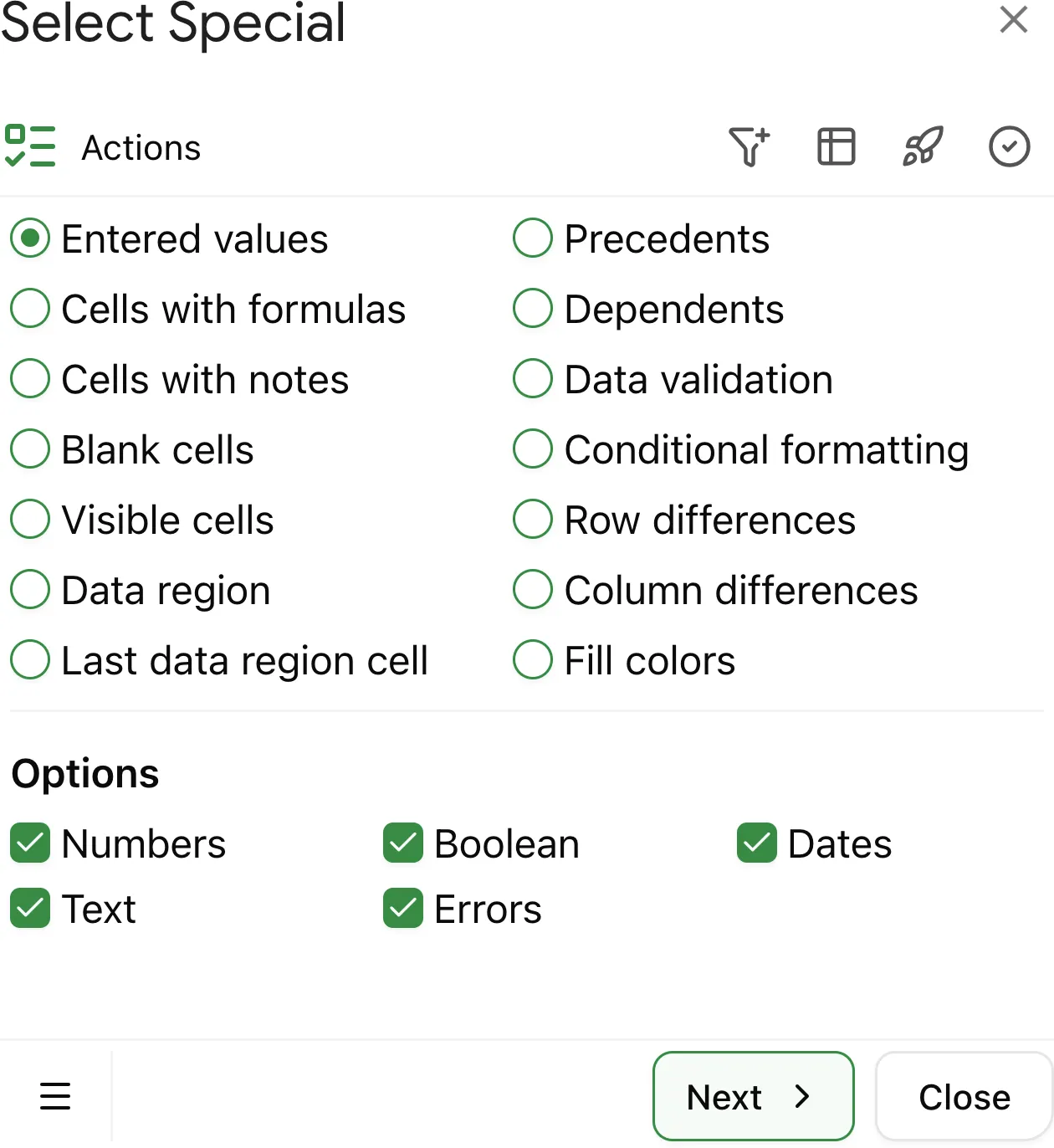
Select Special extends Google Sheets with 14 selection types, smart filters, and one-click actions — without writing a single formula.
How it works
Four steps, no formulas.
Pick a target, refine it, review the matches, then act — all inside the Sheets sidebar.
Step 01
Pick your target
14 selection types — formulas, notes, blanks, validation, colors, and more.
Step 02
Narrow it down
Add filters: value ranges, duplicates, date ranges, text patterns.
Step 03
See what's found
Review every match in a list. Click to jump, toggle to include or exclude.
Step 04
Process it
Expand to row or column, insert formulas
Pricing
Free covers most of it.
Start for free. Upgrade when you need filters, duplicates, and unlimited rows.
Free
$0forever
- ✓Core 14 selection types
- ✓Blank cells
- ✓Fill Colors
- ✓Trace dependents
- ✓Visible cells only
- ✓10+ more
AdvancedRecommended
$14/year · 2 accounts
14-day money-back
- ✓Everything in Free
- ✓Advanced filters
- ✓Data processing
- ✓Email support
- ✓Free trial. 7 days of actual use, not calendar days
Advanced
$3/month · 2 accounts
14-day money-back
- ✓Everything in Free
- ✓Advanced filters
- ✓Data processing
- ✓Email support
- ✓Free trial. 7 days of actual use, not calendar days
More from Cellstronaut
Small tools, one at a time.
Shipped
Open product →Select Special
Sheets add-on — select, filter, act.
Shipped
Open product →Table Total
Subtotals for Google Sheets.
Idea
Suggest a tool →Product #3
Got a sheet problem? Tell us what to build next.
Stop hunting cells.
Select Special finds exactly what you need — by type, formula, format, or relation. Free to start.