
Table Total
v1.0for Google SheetsAuto-insert SUBTOTAL rows grouped by any column. Native Google Sheets formulas — they work even without the add-on installed.
Why use Table Total in Google Sheets
Adding subtotals manually to grouped data is slow and error-prone. Whenever your data changes, you have to update every total row by hand.
Table Total automates this process — it scans your table, groups rows by the column you choose, and inserts SUBTOTAL formula rows after each group. The result is a structured summary table that reflects your data accurately.
What Table Total does
Table Total inserts SUBTOTAL(...) rows into your spreadsheet, grouped by a key column you select.
Example: A sales table grouped by Region gets subtotal rows calculating the total sales for each region, plus an optional grand total at the bottom.
How to add subtotals with Table Total
If you haven't installed the Table Total add-on yet, follow this installation guide.
1. Select your data range
Click any cell inside the table you want to add subtotals to. Table Total will detect the surrounding data region automatically.
2. Open Table Total
In the Google Sheets top menu, go to Extensions > Table Total > Start.
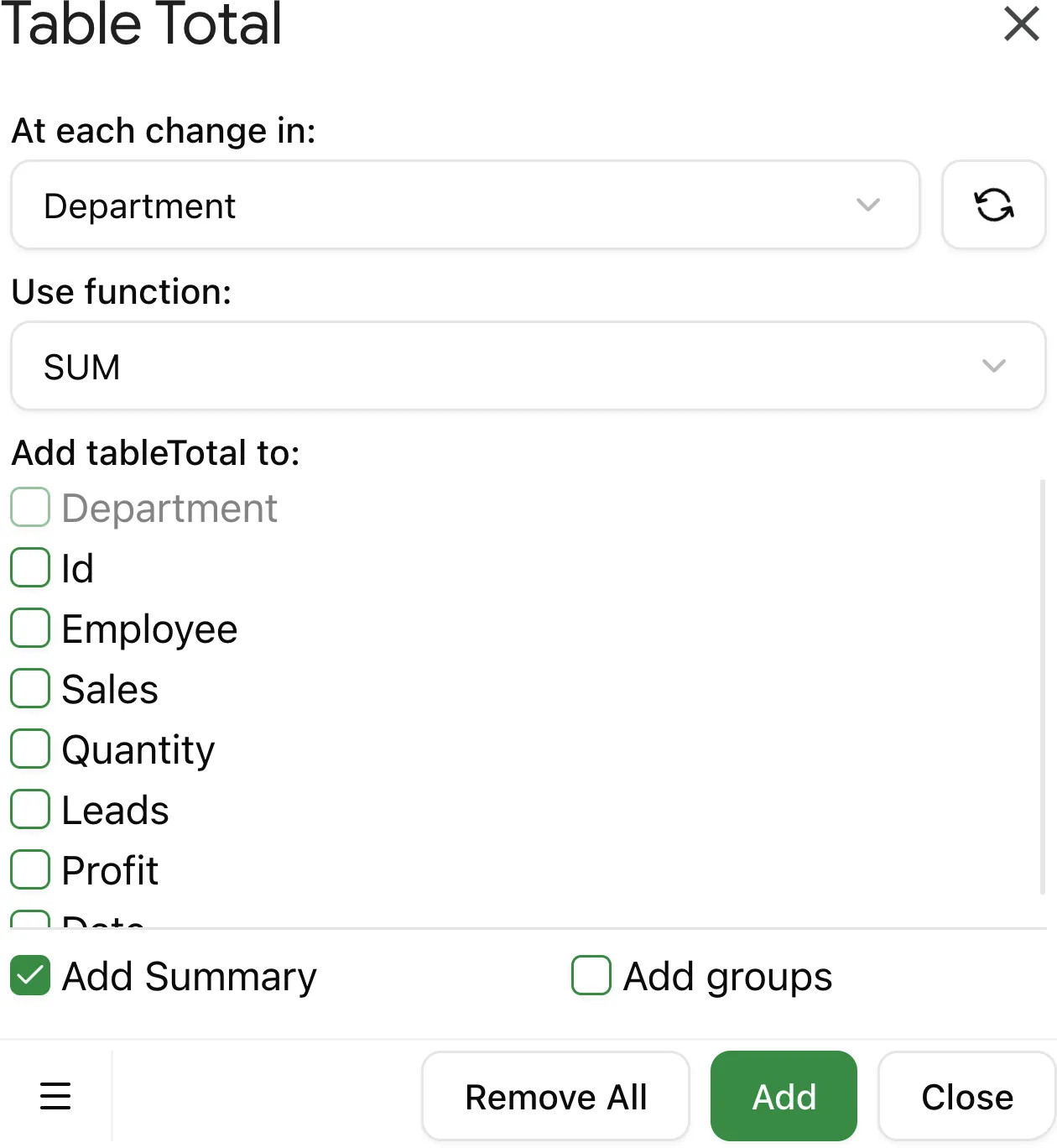
3. Choose the Key Column
Select the column that contains the group identifiers (e.g., Region, Category, Department). Table Total will insert a subtotal row after each group of consecutive rows with the same value in this column.
For best results, sort your table by the Key Column before adding subtotals.
4. Choose the Function
Select the aggregation function to apply. See Available functions for the full list.
5. Choose columns to total
Select which columns should have subtotal formulas. You can apply totals to one or multiple columns.
6. Configure options
| Option | Description |
|---|---|
| Replace current | Remove existing subtotal rows before adding new ones |
| Add grand total | Insert a grand total row at the bottom of the table |
| Add row groups | Create collapsible row groups in Google Sheets |
7. Click Add Totals
Table Total processes your table and inserts the subtotal rows. A summary shows the number of groups processed.
Removing subtotals
To remove existing subtotal rows, open Table Total, enable Replace current, and click Add Totals — or use the Remove Totals option in the add-on menu.
Table Total identifies subtotal rows by looking for =SUBTOTAL( formulas.
Rows containing manually written SUBTOTAL formulas will also be removed.