
Select Special
v1.2for Google SheetsFind cells by value, formula, note, formatting, or relation — then filter and act on them without writing a formula.
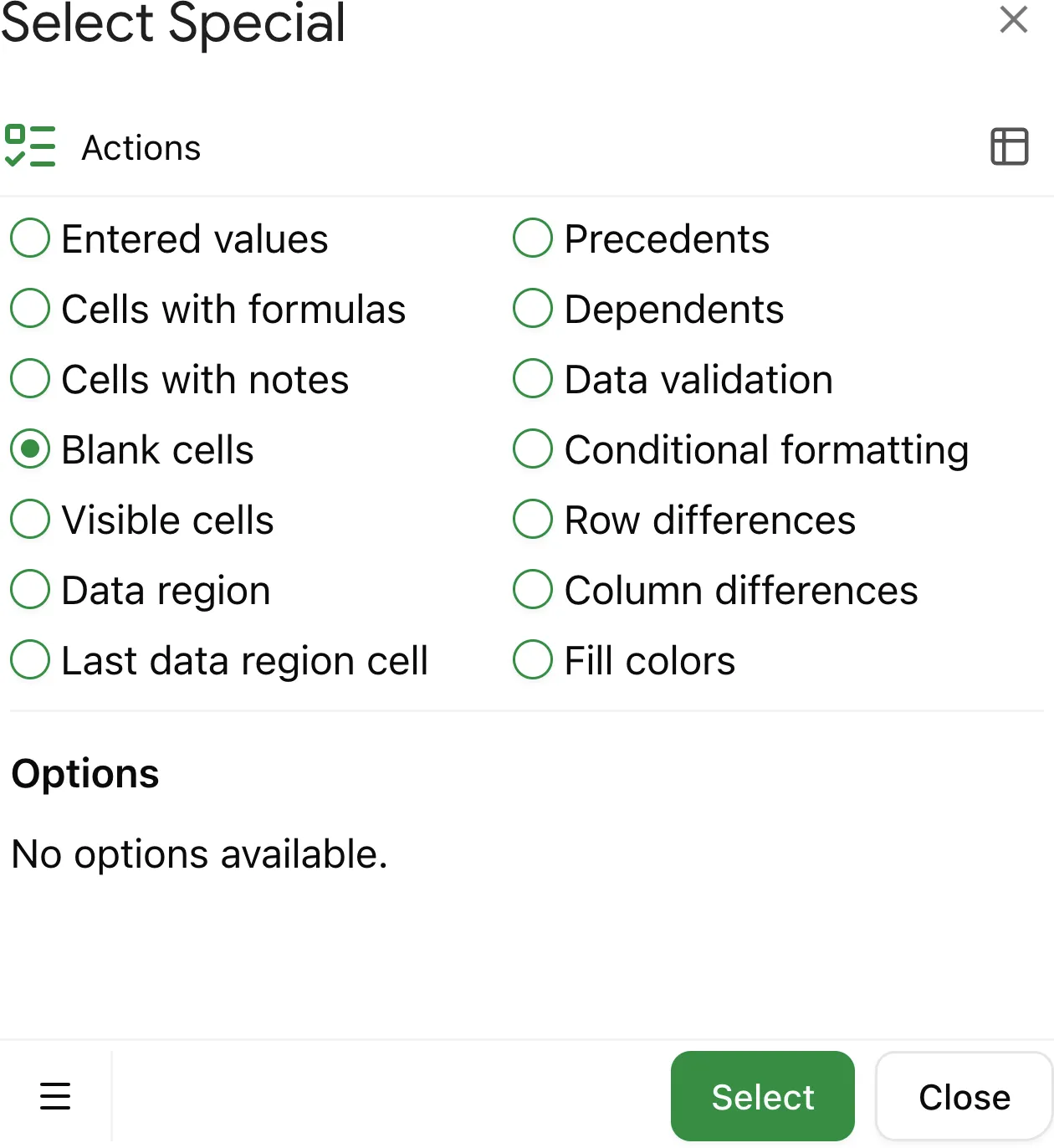
Why use Select Special in Google Sheets
Blank cells can hide problems in your spreadsheet: from missing data to gaps in formulas. Finding them manually can be tedious, especially in large datasets.
The Select Special add-on makes it easy to quickly locate, select, and highlight all blank cells in your selected range. This helps you review, fill in missing information, or clean up your spreadsheet in just a few clicks.
What are blank cells in Google Sheets
Blank cells are cells that contain no value at all, no entered data and no formulas.
They are different from cells that show an empty string "" as the result of a formula, which technically are not blank.
Why find and select blank cells
Finding blank cells helps you:
- Color cells
- Highlight areas that need attention
- Identify missing data before analysis
- Fill in required values for formulas or reports
How to find and highlight blank cells with Select Special
If you haven't installed the Select Special add-on yet, follow this installation guide.
1. Select the range
Choose the range of cells where you want to search for blank cells.
2. Select blank cells to highlight quickly
Click Select at the bottom of the add-on. It will highlight all blank cells in your selected range so you can color, review, and update them quickly.