
Select Special
v1.2for Google SheetsFind cells by value, formula, note, formatting, or relation — then filter and act on them without writing a formula.
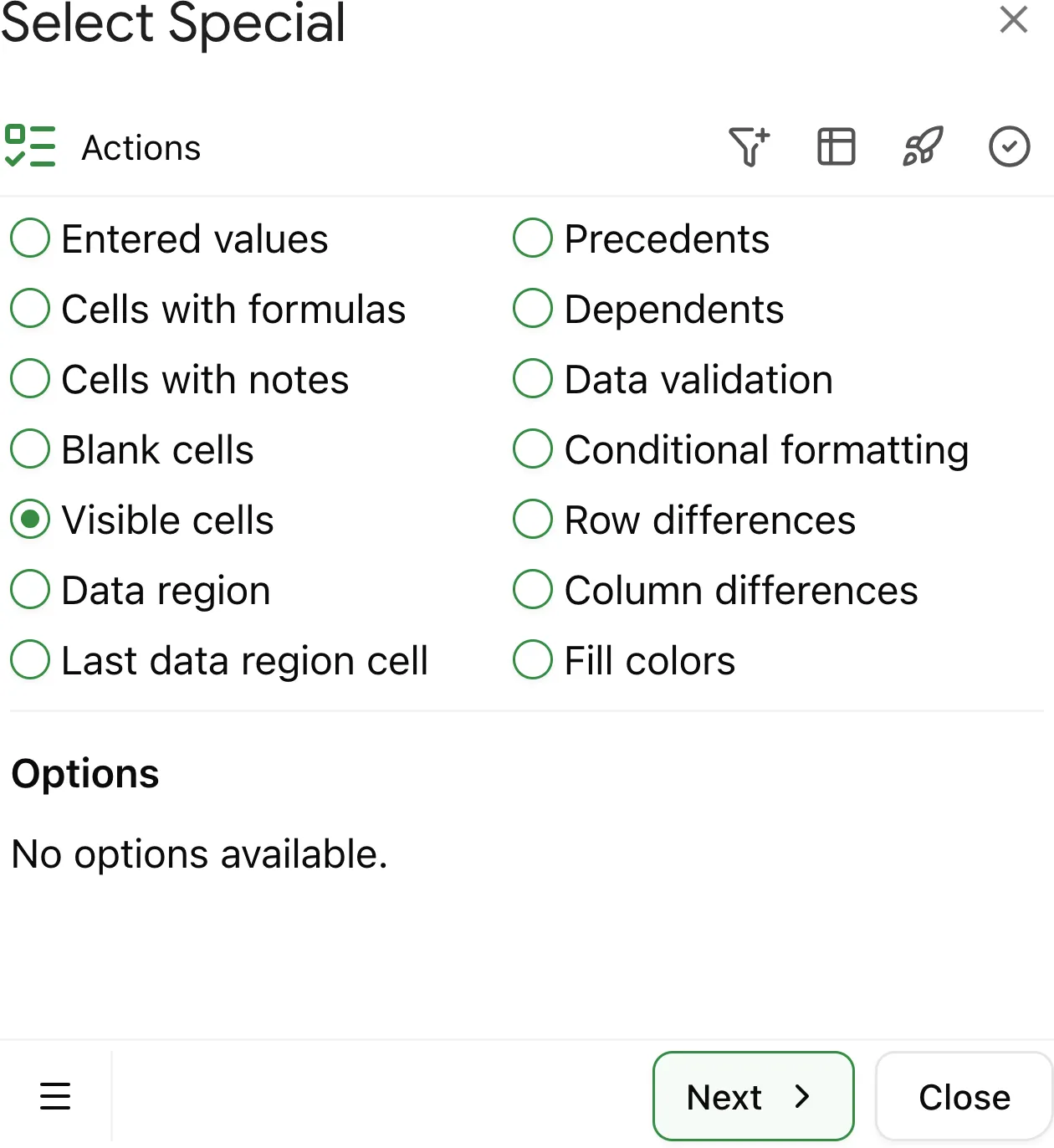
Why use Select Special in Google Sheets
Hidden rows and columns can make editing and analysis tricky. Without realizing it, you may select and change data that's hidden by filters or grouping.
The Select Special add-on makes it easy to select only the cells that are visible, skipping hidden rows and columns, so you can work with confidence.
What are visible cells?
Visible cells are cells that are currently displayed in the sheet and are not hidden by:
- Filters
- Grouping rows or columns
- Hiding rows or columns manually
Why skip hidden rows and columns
Selecting only visible cells helps you:
- Edit or format data without affecting hidden rows/columns
- Work faster when filtered data is in view
- Prepare clean, accurate reports without hidden information being included
- Avoid accidental overwrites in collaborative spreadsheets
How to select visible cells with Select Special
If you haven't installed the Select Special add-on yet, follow this installation guide.
1. Select the range
Select the range of cells where you want to find visible cells. This can be an entire sheet, specific columns or rows.
2. Select visible cells only
Click Select at the bottom of the add-on. It will highlight only the cells that are visible, skipping any hidden manually, by filters, or by row and column groups.